5. Run First Inference
Once your model is deployed, you can run your first inference on the device. Inference means sending input data such as an image, sensor value, or text to the model and receiving results instantly. With Loc.ai, inference runs locally through Loc.ai:Link, delivering faster responses, offline capability, and improved data privacy.
Your first inference confirms that the model, device, and deployment setup are working successfully end-to-end.
Steps to Run Your First Inference
Step 1: From the left sidebar, open Inference, then click Run on your deployed model.
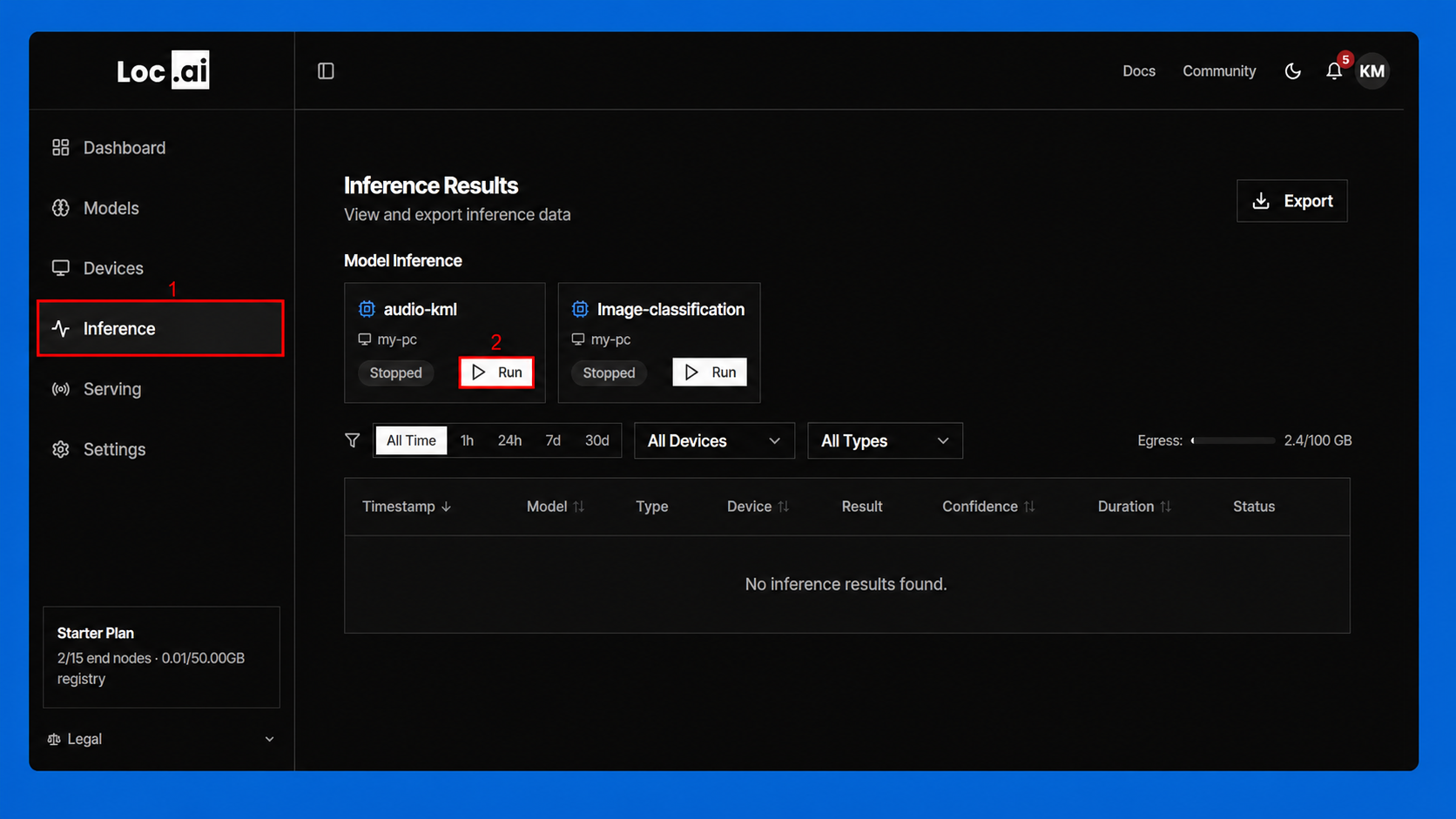
Step 2: View the inference results table to monitor requests, confidence scores, duration, and status for your model runs.
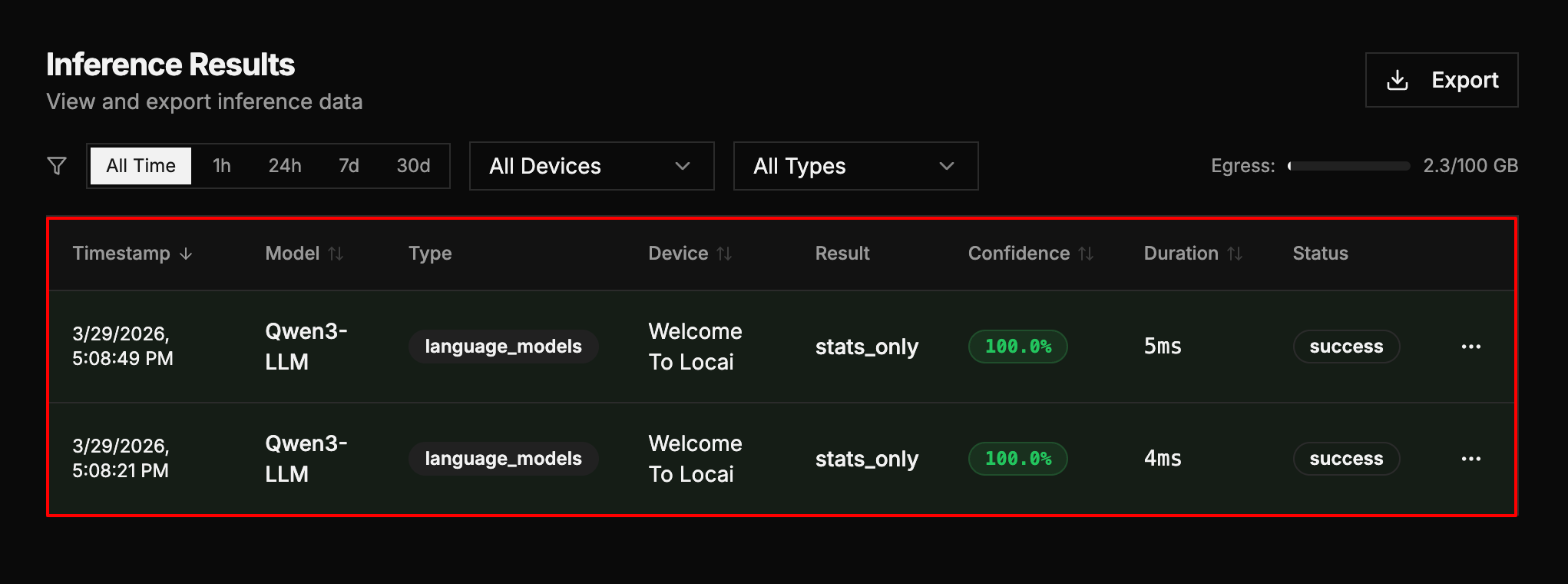
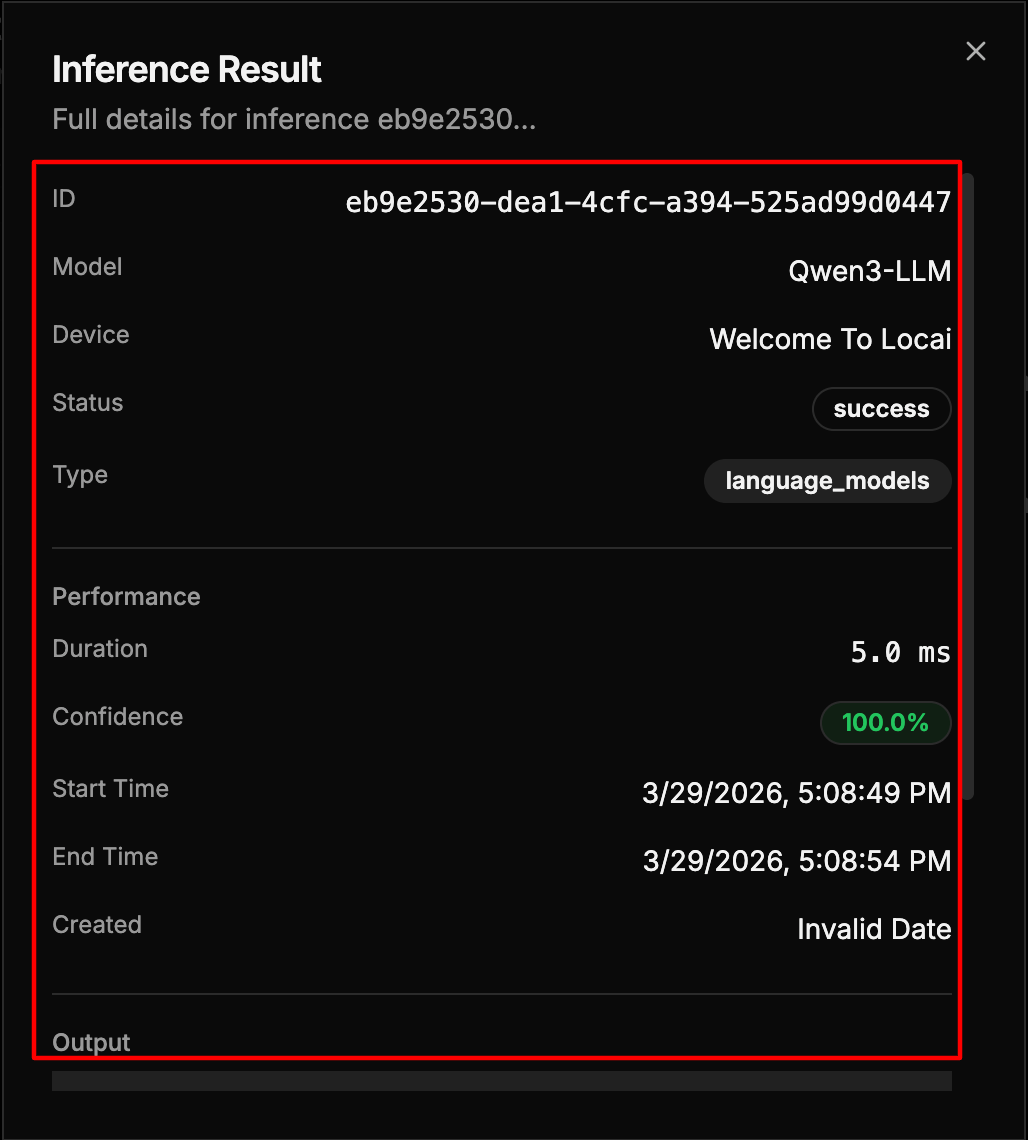
Step 3: Click Detailed Results to expand the view and see full inference information are:
- Model: The model used for inference
- Device: The device that ran the model
- Result: The classification or output
- Confidence: Confidence score as a percentage
- Duration: Time taken for the inference
| Field | Description | Example |
|---|---|---|
| ID | Unique identifier assigned to the inference result. | eb9e2530-dea1-4cfc-a394-525ad99d0447 |
| Model | Name of the model used for the inference request. | Qwen3-LLM |
| Device | Device or node where the inference was processed. | Welcome To Locai |
| Status | Current execution result of the inference task. | success |
| Type | Category of the deployed model. | language_models |
| Duration | Total time taken to complete the inference. | 5.0 ms |
| Confidence | Confidence score returned by the model for the result. | 100.0% |
| Start Time | Timestamp when the inference process started. | 3/29/2026, 5:08:49 PM |
| End Time | Timestamp when the inference process finished. | 3/29/2026, 5:08:54 PM |
| Created | Record creation date for the inference entry. | Invalid Date |
| Output | Displays the generated result. If the output is a .md file, the Markdown content should be rendered and shown directly in the Output section. | Rendered Markdown content |
Now you can View and Export Results.