7. Serving a Model
Serving a model means making your deployed AI model continuously available to process live requests from devices, applications, or connected systems. Instead of running one test inference at a time, the model stays ready to respond whenever new data arrives.
With Loc.ai, models are served directly on the edge through Loc.ai:Link, enabling low-latency predictions, offline operation, and secure local processing. This allows your AI solution to run reliably in real-world production environments.
What Serving Gives You
-
Lower cost: Inference runs on your own hardware. No per-token fees, no usage caps.
-
Greater security: Prompts and responses never touch an external server.
-
Lower latency: The model is on your local network. No round-trips to the cloud.
Steps to Serve a Model
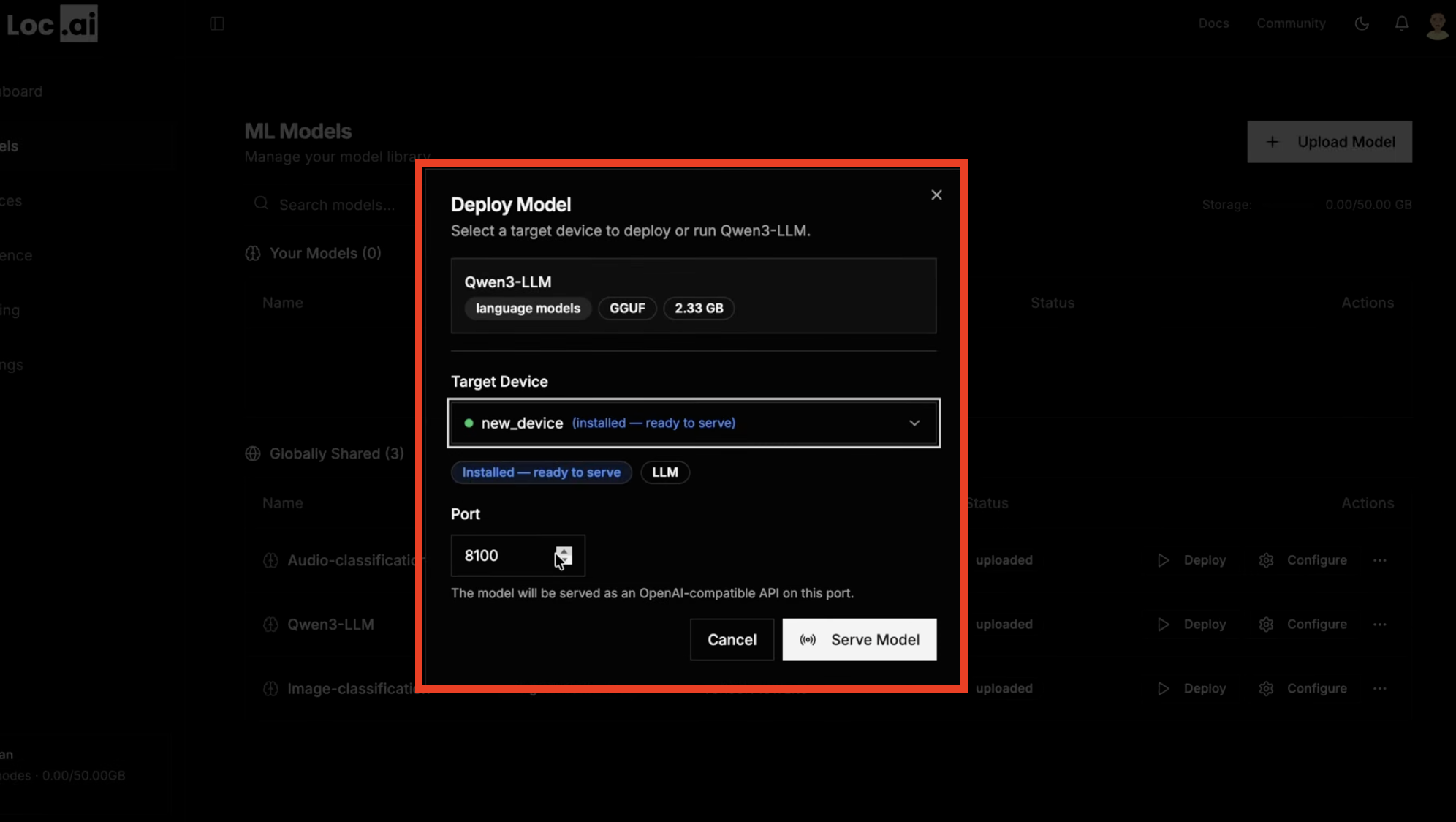
Step 1: First, make sure you have a model deployed to a registered device. If you haven't done this yet, see the Deploy a Model guide.
Click the Start Serving button next to your deployed model in the dashboard. This will launch the model in serving mode on your device, making it available to process live inference requests.
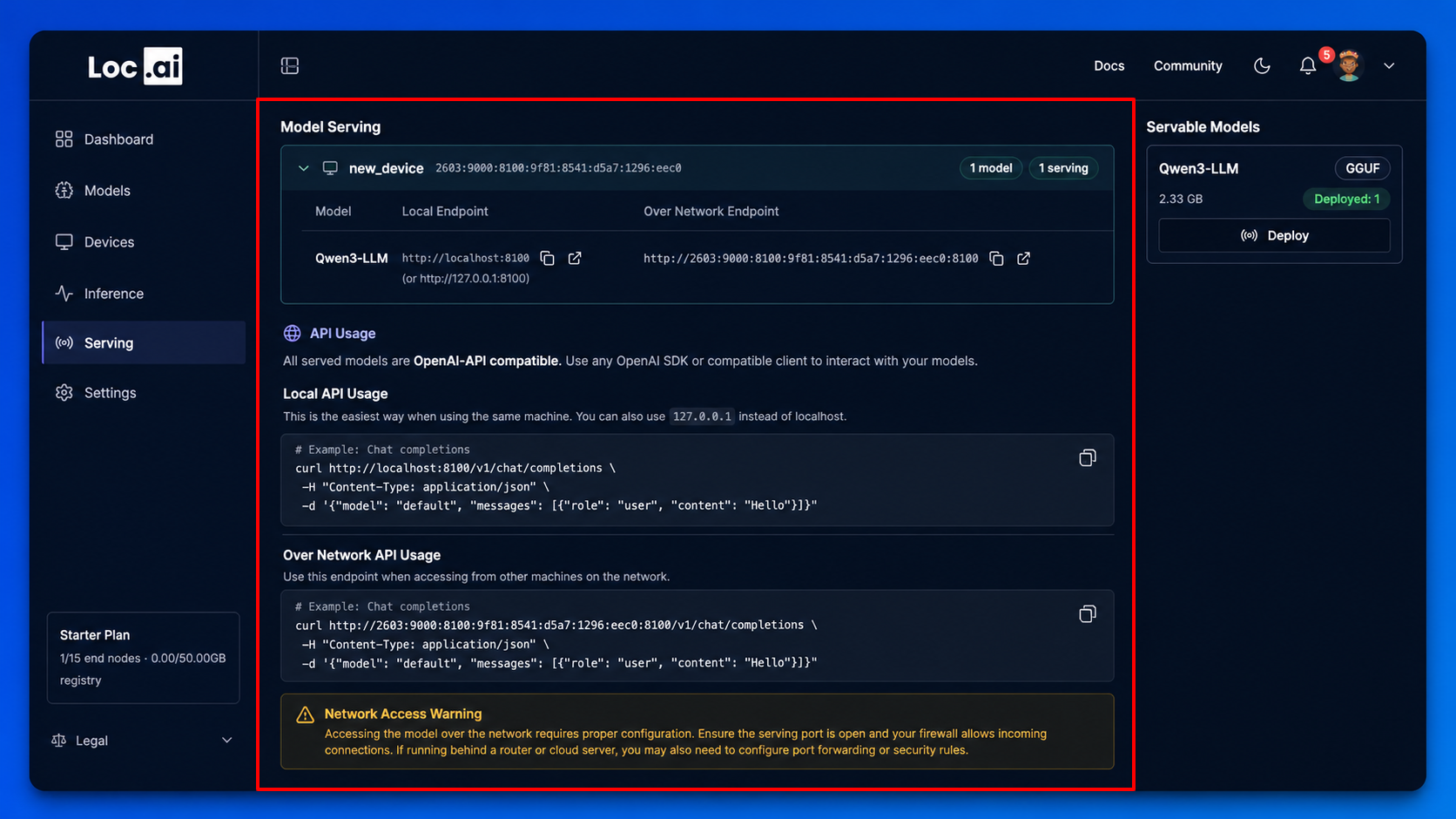
Step 2: Once the model is served, you will see a new section in the dashboard with the model's serving details, including the local endpoint URL and port number. This endpoint is OpenAI-API compatible, allowing you to connect it to any application that supports custom OpenAI base URLs.
Using Your Served Model
Because the endpoint is OpenAI-API compatible, you can drop it into any tool or application that supports a custom OpenAI base URL no extra configuration needed.
See Integrations for step-by-step guides for VS Code, Obsidian, Open WebUI, and more.
Accessing Your Served Model
After serving successfully, access through any of these URLs (replace xxxx with your chosen port):
http://localhost:xxxxhttp://0.0.0.0:xxxxhttp://127.0.0.1:xxxx
Since served models are OpenAI-API compliant, you can integrate them with compatible applications. See Integrations for examples.