Deleting Model from Library
The Deleting Model from Library action allows you to permanently remove a model from your Loc.ai Control model library. When confirmed, the platform also queues a removal command for every device where the model has been deployed, ensuring no stale model files remain across your fleet.
This is a destructive action. Once deleted, the model cannot be recovered from within the platform. If you want the model back, you will need to re-upload it.
How to Delete Model
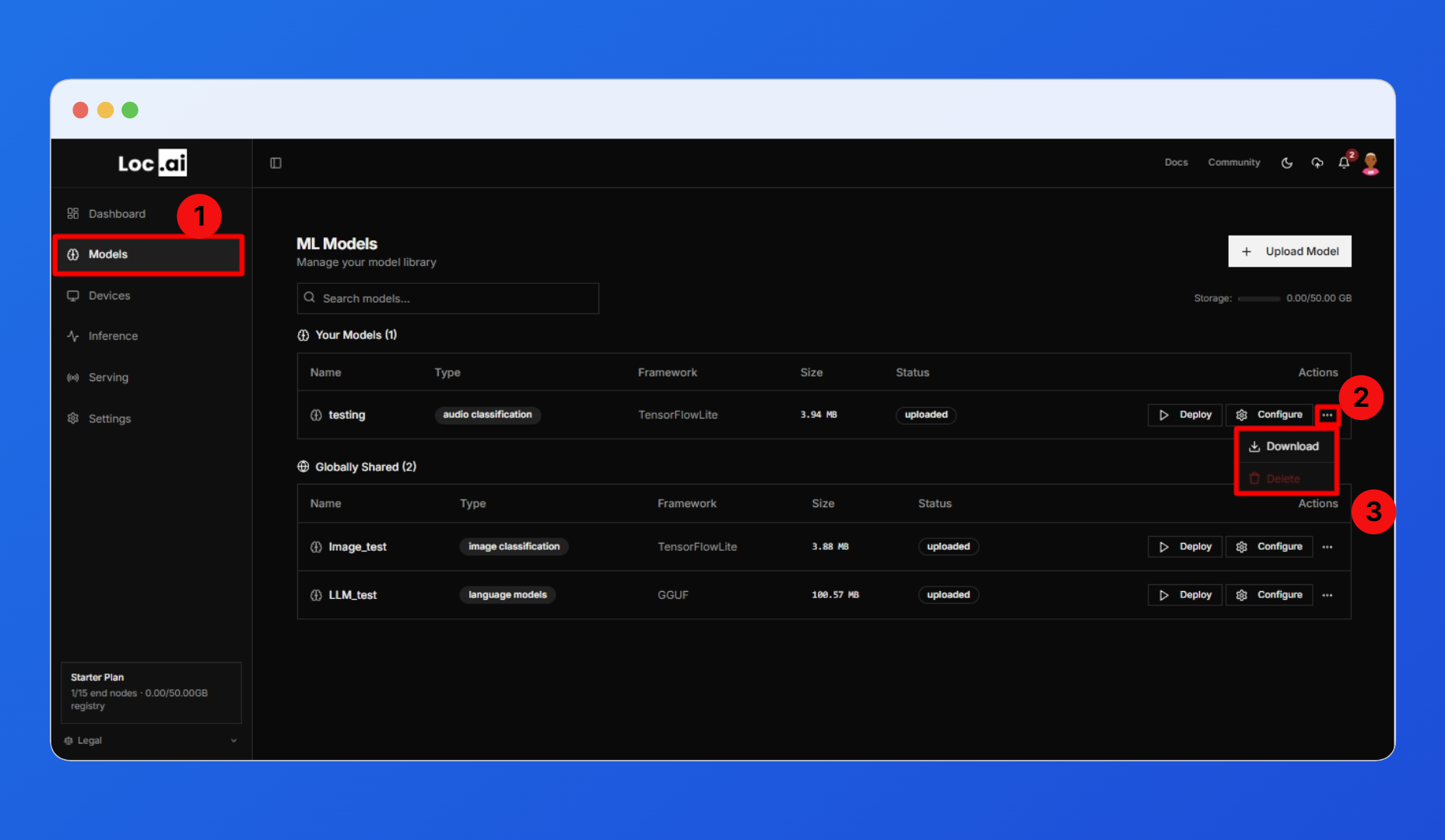
The delete option is accessed from the Models page. Each model row has an actions menu on the right side.
Step 1: On the Models page, click the three-dot button (...) on the model row you want to remove to open the actions menu. You will see two options: Download, and Delete.
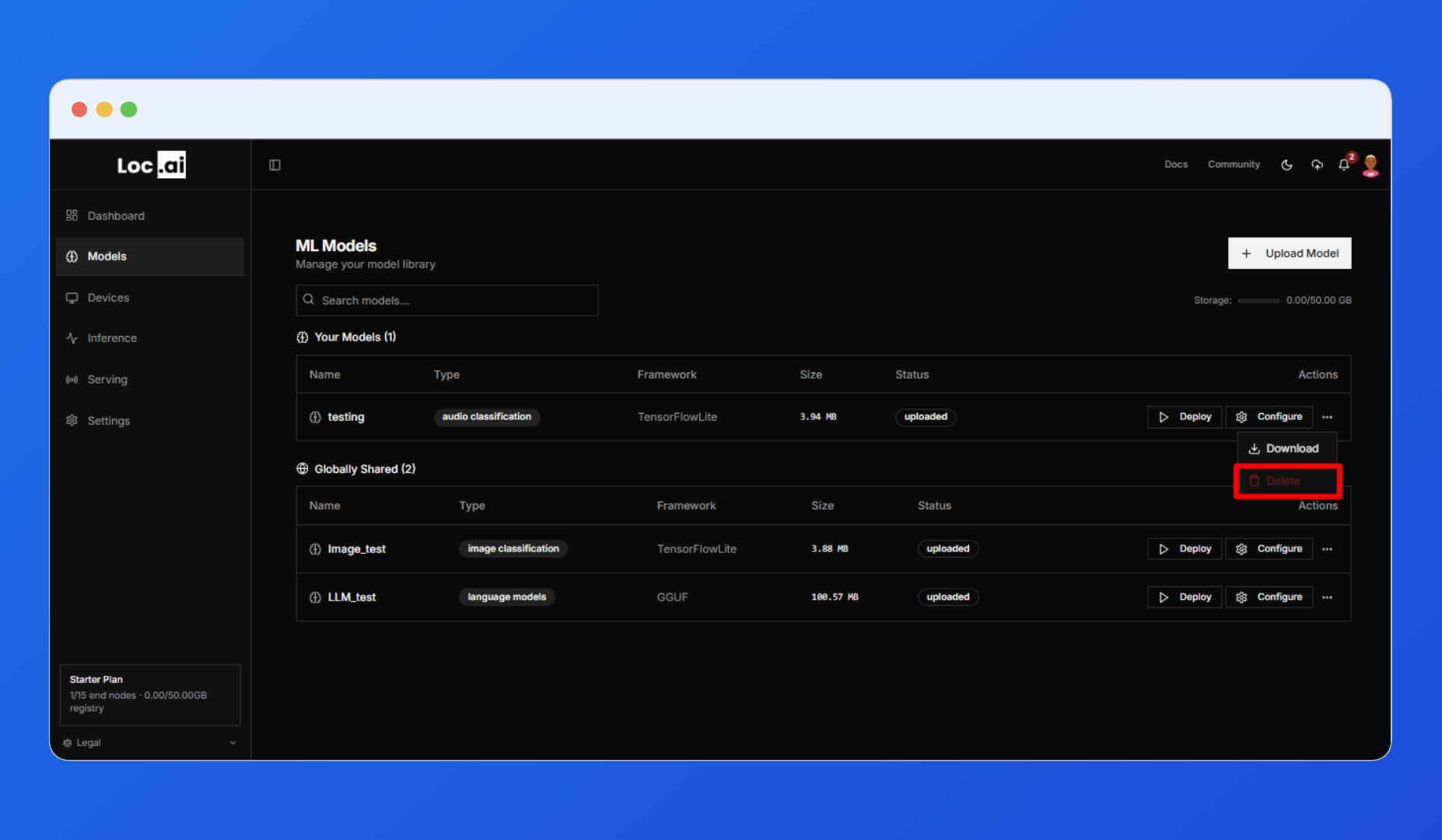
Step 2: Click Delete option from the dropdown. The option is highlighted in red at the bottom of the menu.
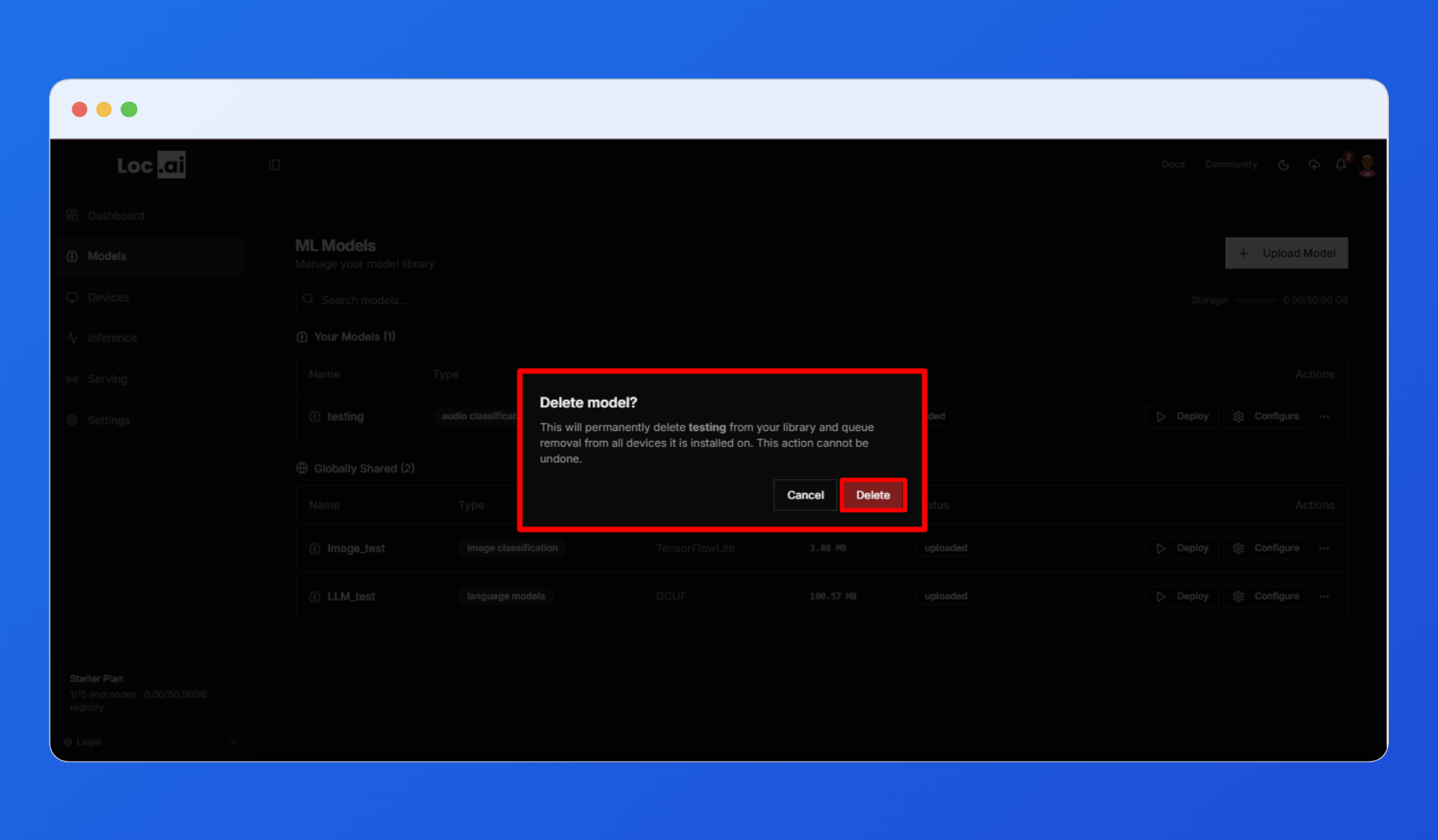
Step 3: Clicking Delete does not immediately delete the model. A confirmation dialog appears over the Models page. The dialog displays the name of the model being deleted and states that the action will permanently remove it from the library and queue its removal from all devices it is installed on.
The Delete model confirmation dialog will open. Click the red Delete button to confirm and permanently remove the model.
Click The Cancel button to close the dialog and return without making any changes.
What Happens After Deletion
After confirming, the platform immediately takes the following actions:
- The model is removed from your library and will no longer appear in the Models list.
- A removal command is queued for every device the model was deployed to. Each device will receive this command and uninstall the model files.
- If a device is offline at the time, the command is held and executed when the device reconnects.
This action cannot be undone. There is no soft-delete or recycle bin for models.
Deleting a model from the library is not the same as uninstalling it from a single device. Deletion is a fleet-wide operation. If your goal is to remove a model from one device only while keeping it available elsewhere, use the Uninstall from Device action instead.