6. View and Export
After running inferences, you can view predictions, logs, and performance data directly in your dashboard. This gives you instant visibility into how your model is performing on each device. You can also export results for reporting, analysis, or integration with other systems. This makes it easy to turn real-time edge insights into actionable business data.
Steps to View and Export Results
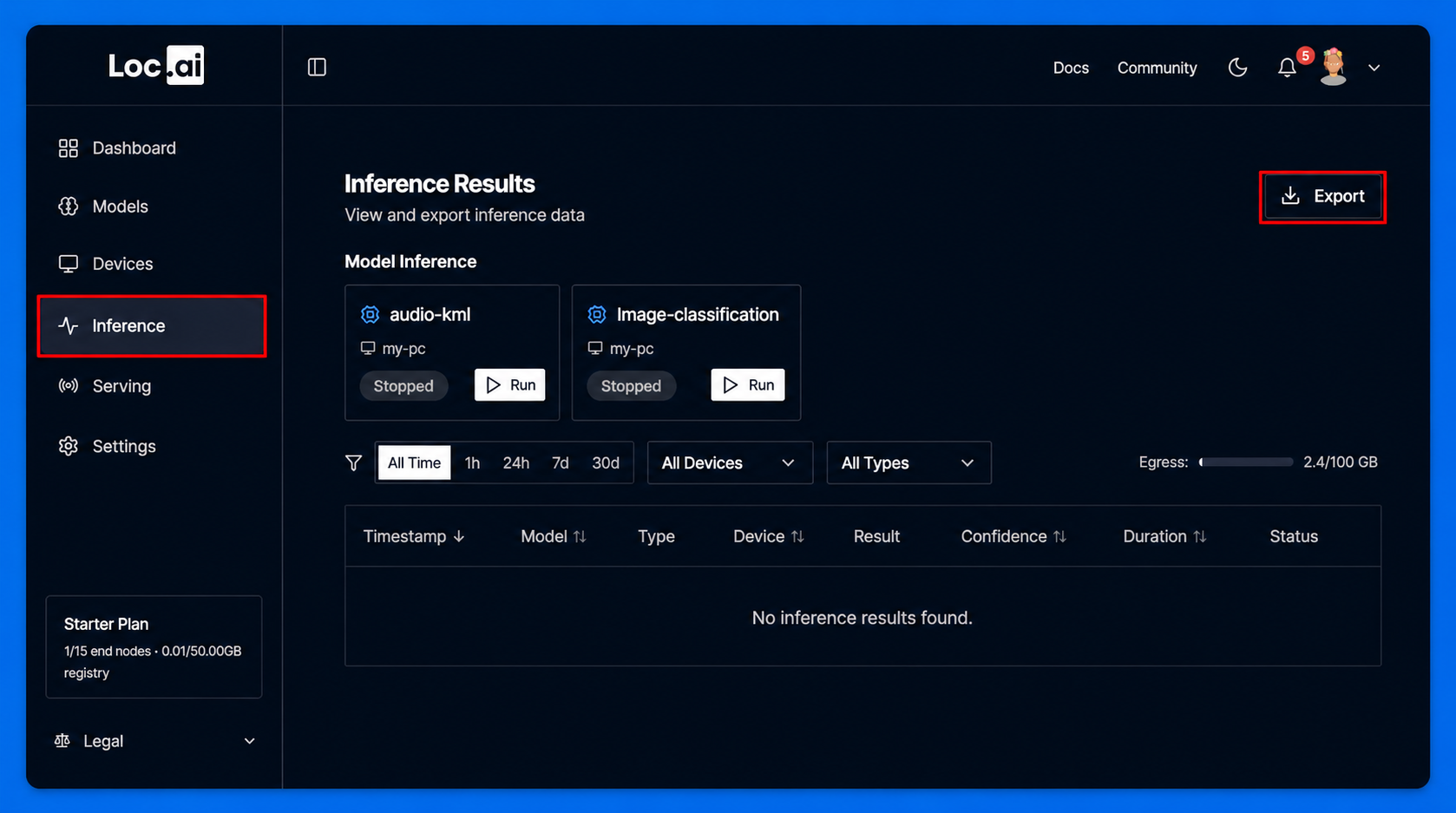
Step 1: From the Inference Results page, click the Export button in the top-right corner.
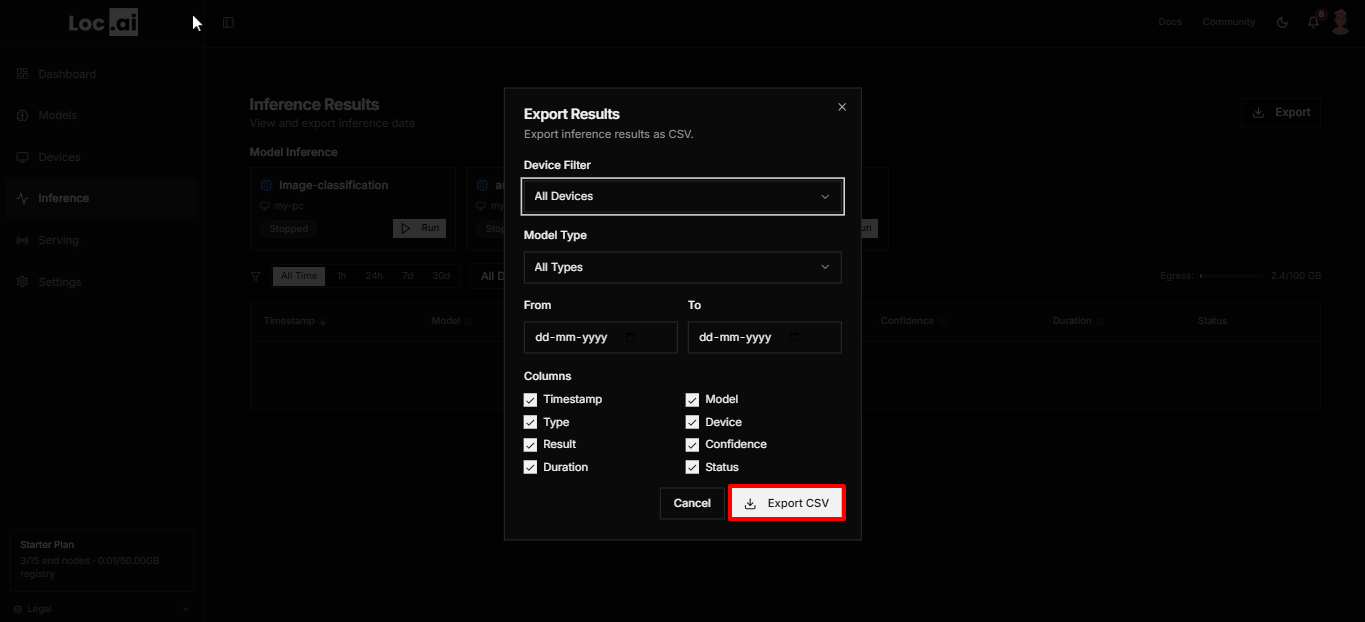
Step 2: Apply the required filters, choose the columns you want to include, then click Export CSV to download the results file.
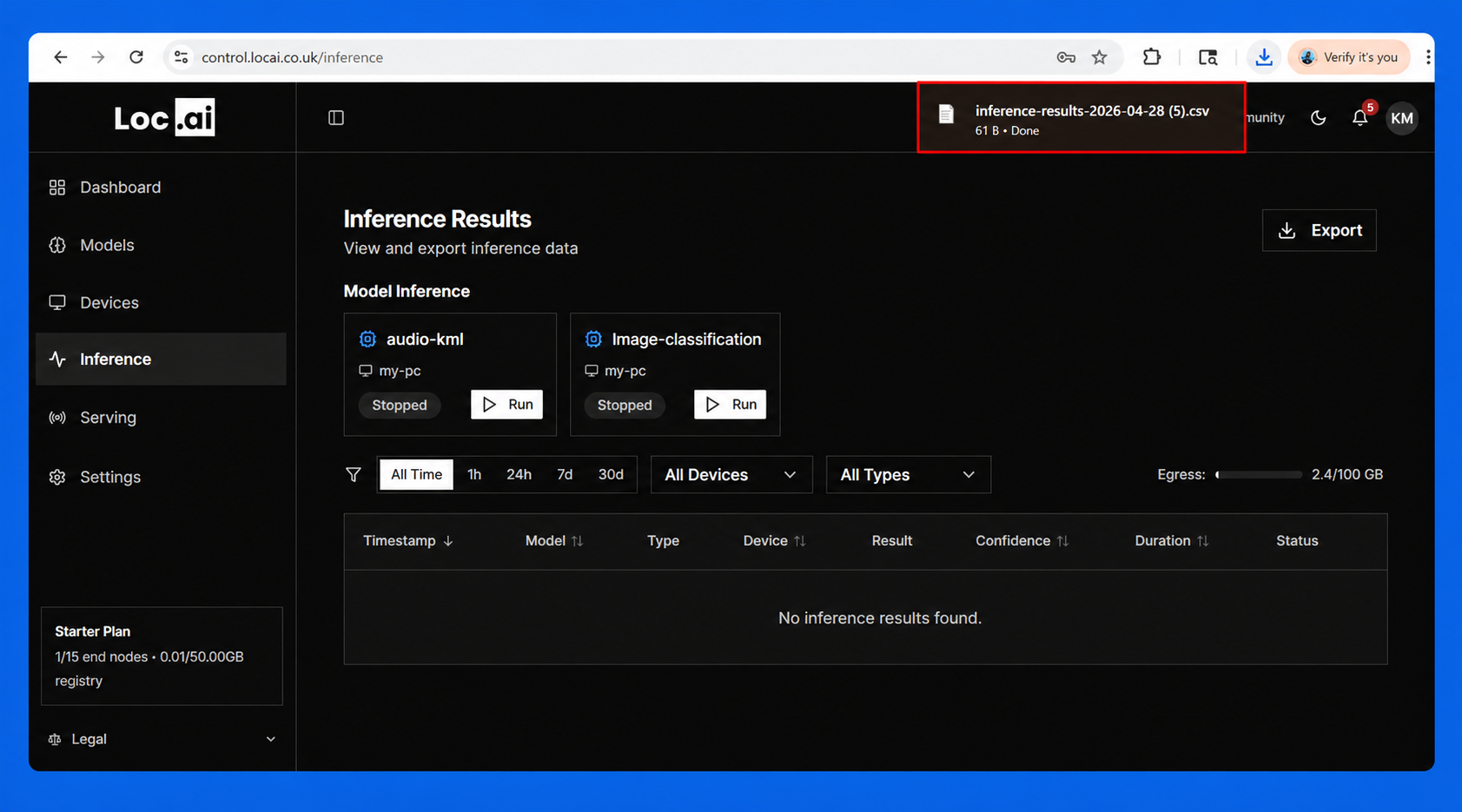
Step 3: The system will generate the export file and automatically download it as a CSV to your device.
Now you can serving a model.