Uninstall Model from Device
The Uninstall Model from Device action allows you to remove a model from one specific registered device, without deleting it from your library or affecting any other devices the model is deployed on.
This is useful when you need to free up storage or change the deployment configuration on a particular device, while keeping the model available in your library for future use or deployment elsewhere.
Uninstalling a model from a device is a safe, reversible operation. It only affects the selected device and does not impact your library or other deployments.
How to Uninstall Model
This action is accessed from the Devices section of Loc.ai Control.
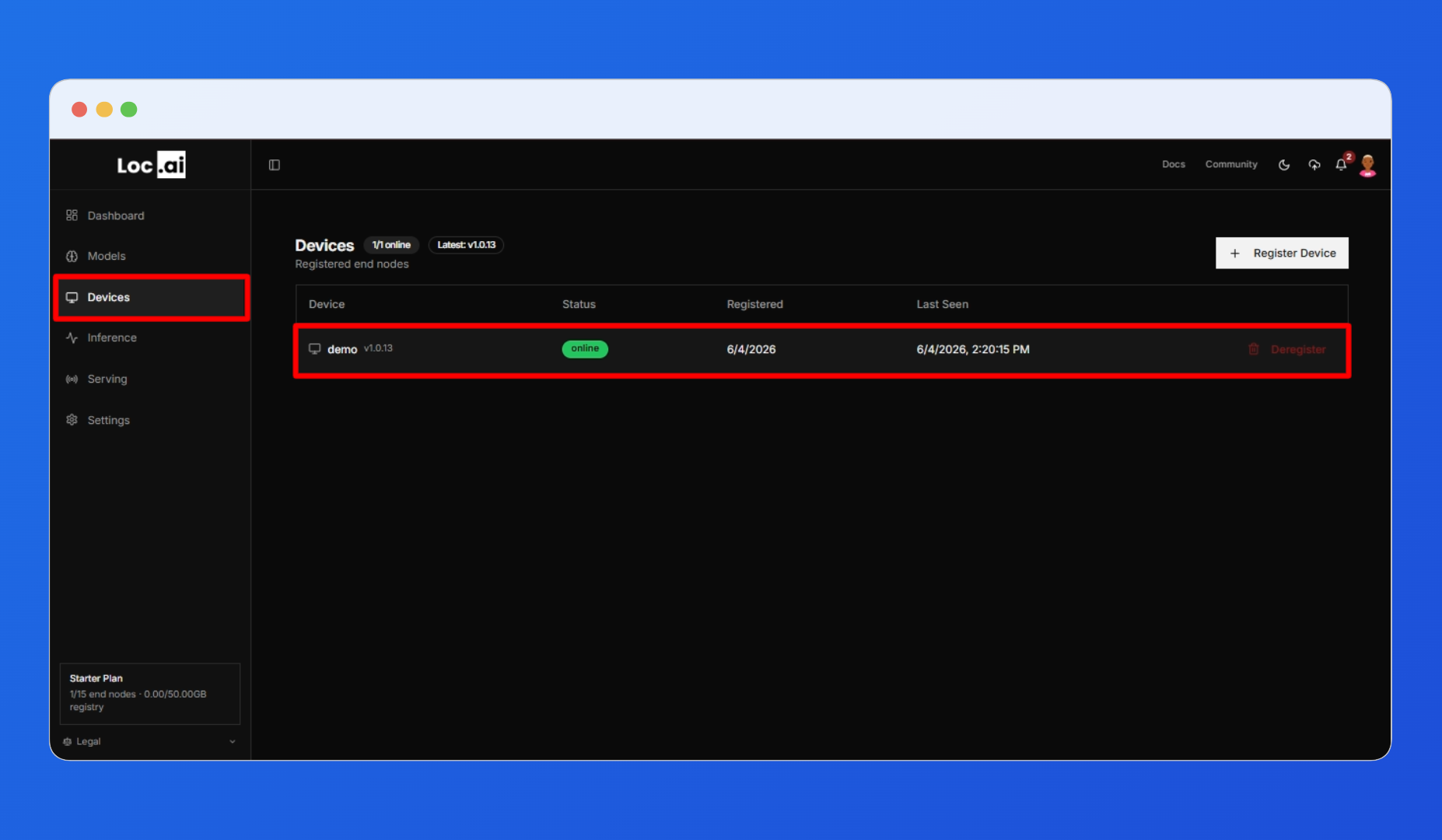
Step 1: Go to the Devices section from the left sidebar and click on the device you want to manage to open its detail panel.
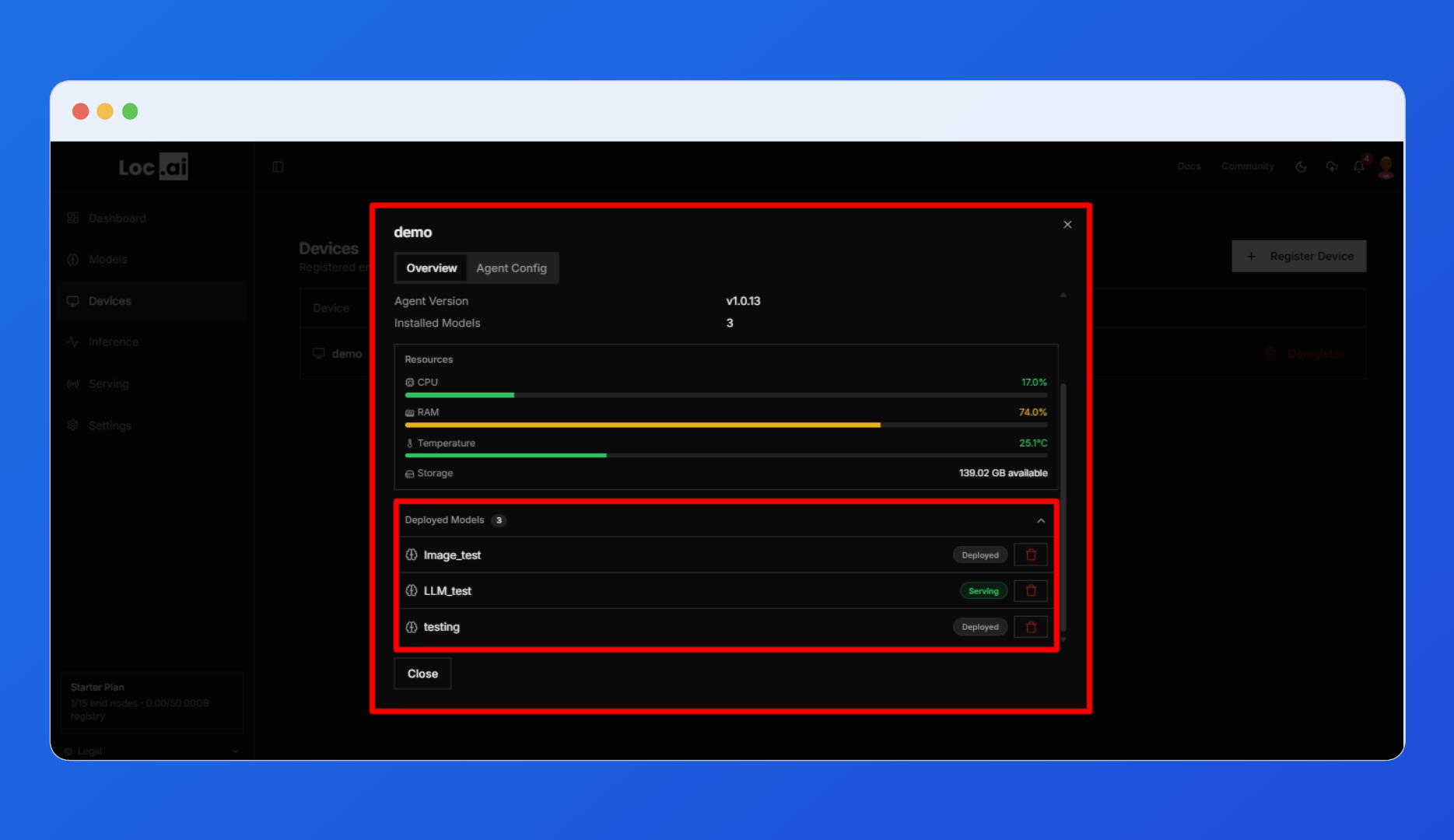
Step 2: In the device detail panel, scroll down to the Deployed Models section. This list shows all models currently installed on that device, along with a summary of the device's resource usage including CPU, RAM, temperature, and storage.
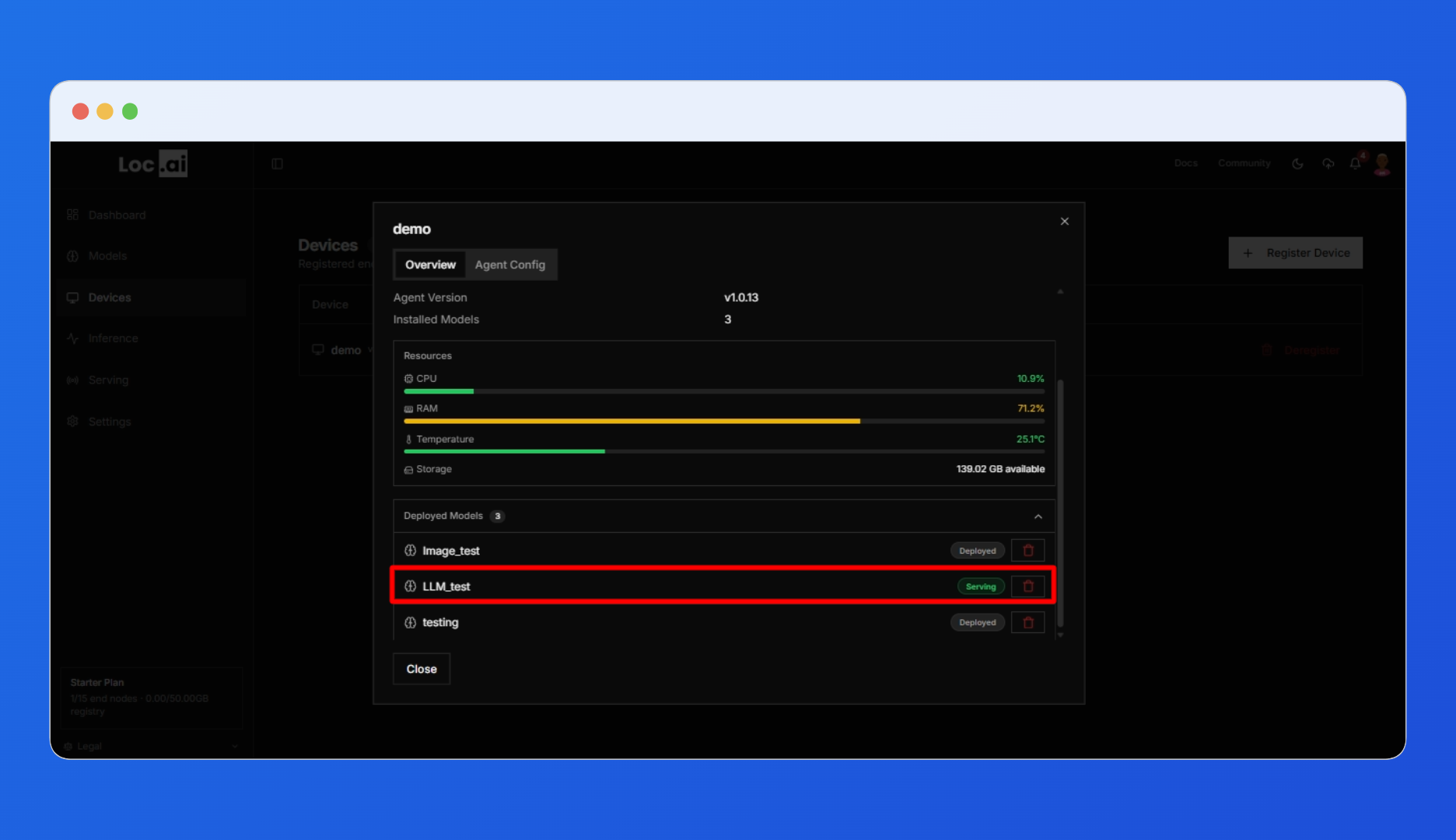
Step 3: Click the trash icon on the right side of the model entry you want to uninstall. This triggers the uninstall flow for that model on that device only.
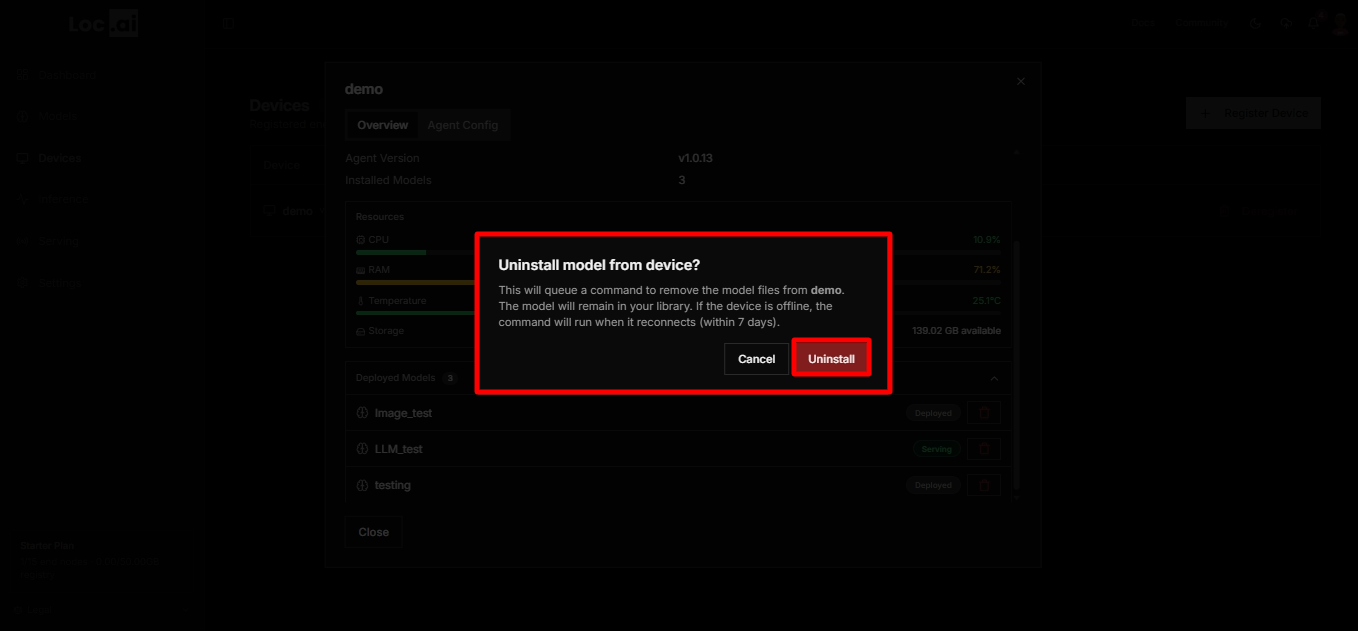
Clicking the trash icon does not immediately uninstall the model. A confirmation dialog appears asking you to confirm the uninstall for that specific device. The dialog:
- Names the device the model will be removed from.
- Confirms that the model files will be removed from that device only.
- Clarifies that the model will remain in your library and continue to be deployed on any other devices it was previously installed on.
- Explains that if the device is currently offline, the command will be queued and will execute automatically when the device reconnects, as long as it reconnects within 7 days.
Step 4 The Uninstall model from device confirmation dialog will open. Click the red Uninstall button to confirm and remove the model from the selected device.
Click The Cancel to close the dialog and return without making any changes.
What Happens After Uninstall
After confirming, the platform takes the following actions:
- A command is queued to remove the model files from the selected device only.
- The model remains in your library and continues to be deployed on any other devices it was previously installed on.
- If the device is offline, the command is held and executed when the device reconnects, within a 7-day window. After 7 days, the command expires.
- The model can be redeployed to the same device at any time from the Models page.
Comparison: Delete from Library vs Uninstall from Device
| Delete from Library | Uninstall from Device | |
|---|---|---|
| Removes model from library | Yes | No |
| Removes model from device(s) | All devices the model was deployed to | Selected device only |
| Recoverable | No action is permanent | Yes model stays in the library |
| Triggered from | Models page | Devices page, inside the device detail panel |
| Works while device is offline | Yes command runs when the device reconnects (within 7 days) | Yes command runs when the device reconnects (within 7 days) |