Configuration and Rollouts
Configuration Overlays
Configuration overlays let you publish a named, immutable snapshot of settings to your fleet. Each overlay can specify:
- Model set. Which models devices should have installed and whether each should actively serve requests.
- Telemetry cadence. How frequently devices report telemetry.
- Log level. Verbosity of device logs.
- Note. A free-text description of the change for your records.
Once published, an overlay is immutable. To change settings, publish a new overlay version.
Publishing a Configuration Overlay
Configuration lives in the Enrollment & config tab (Fleet Operations → Fleet), in the Fleet configuration section:
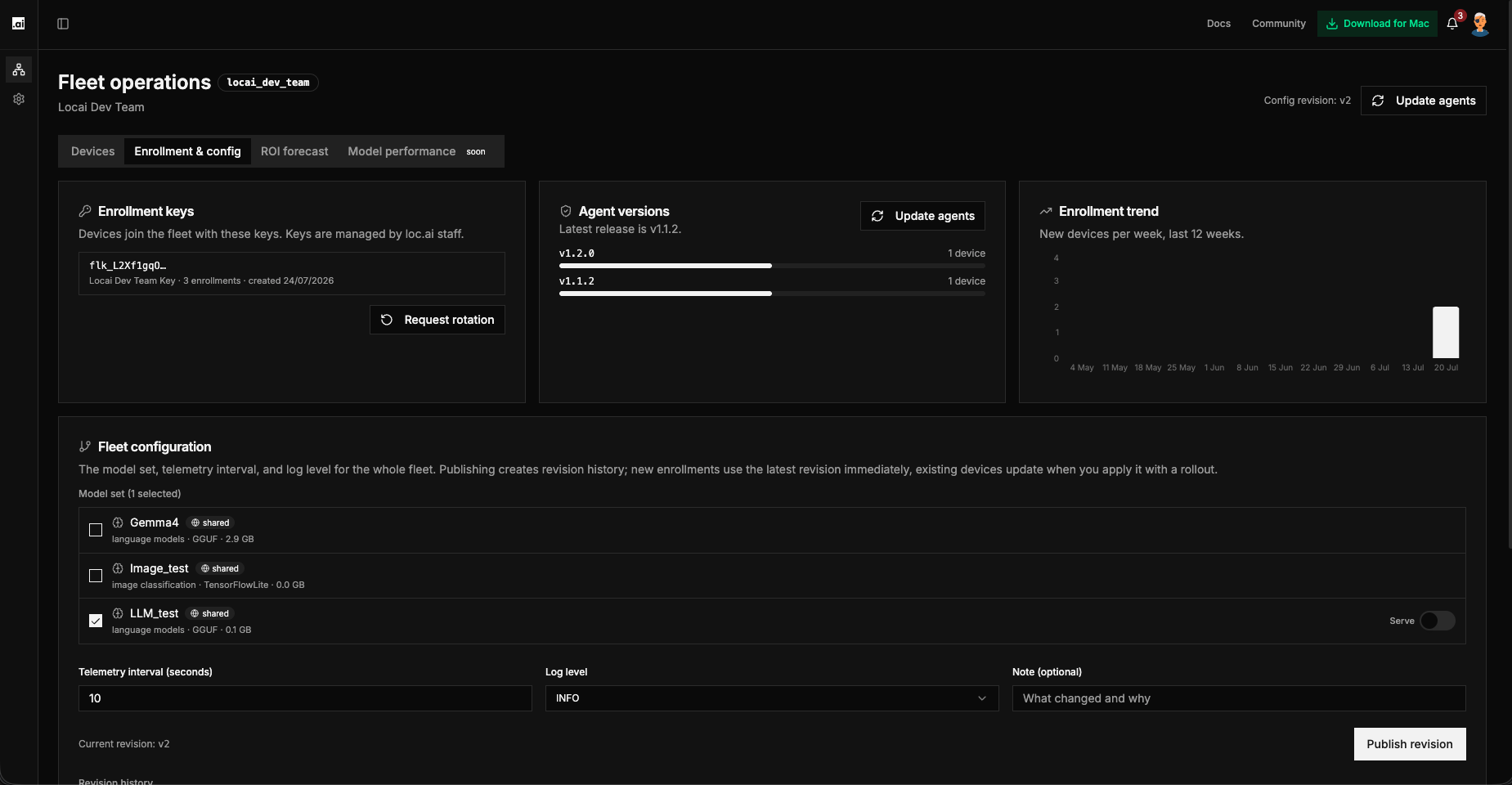
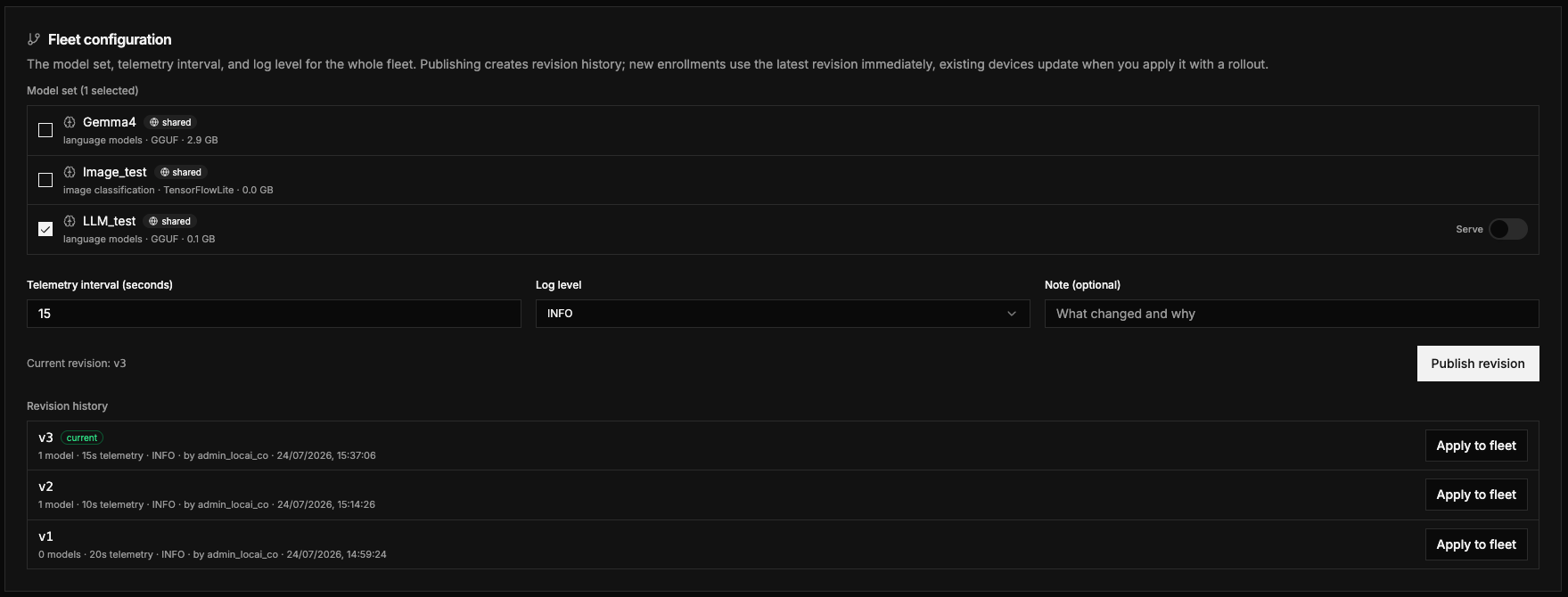
- Choose the models to include in the model set (from your org's approved model catalogue) and toggle each model's Serve flag.
- Set the telemetry interval and log level, and add an optional note describing the change for your records.
- Click Publish revision. The overlay is saved as a new immutable revision and appears in the revision history.
Publishing creates the revision but does not change existing devices by itself: new enrollments use the latest revision immediately, while existing devices update when you apply the revision with a rollout (Apply to fleet next to a revision in the history; see Ring Rollouts). Devices that are offline when a rollout reaches them catch up automatically the next time they reconnect; no manual retry is needed.
How Serve Flags Work
When an overlay with per-model serve flags reaches a device:
- Models flagged serve: on begin serving requests on each device once installed.
- Models flagged serve: off stop serving requests on devices where they are installed.
This applies both to models already installed on devices and to models that finish downloading after the overlay is published.
Tracking Config Convergence
Each device tracks a desired and applied configuration revision. The Config Rollout health tile and the device detail drawer both show how many devices have applied the current overlay. Devices that reconnect after being offline automatically catch up; you do not need to re-publish.
Ring Rollouts
Ring rollouts let you promote a configuration overlay to your fleet gradually, in stages (rings), rather than all at once.
How Rings Work
Rollouts follow a staged plan:
- Canary. A small initial set of devices.
- Early (~10%). Approximately 10% of the fleet.
- Rest. The remaining devices.
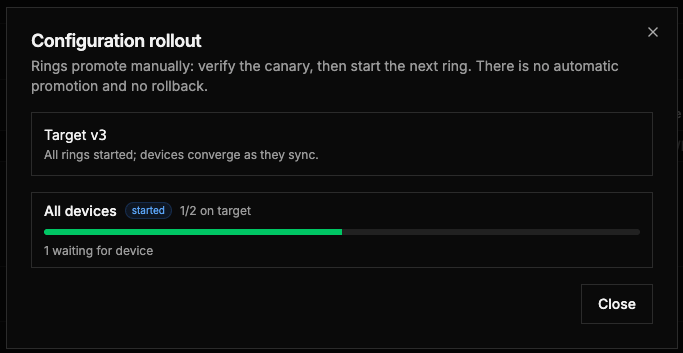
Rings are promoted one at a time, manually; the system does not advance rings automatically. You decide when each stage is ready to proceed. Small fleets of 3 or fewer devices roll out as a single ring covering all devices.
Stopping a rollout pauses only rings that have not yet started. Devices already in a started ring continue to receive the configuration. There is currently no automatic rollback; if you need to revert, publish a new overlay with the previous settings.
Creating a Ring Rollout
- In the Fleet configuration revision history, click Apply to fleet next to the revision you want to roll out. The Configuration rollout dialog opens.
- Review the ring preview: the dialog shows exactly which devices are in each ring before anything happens.
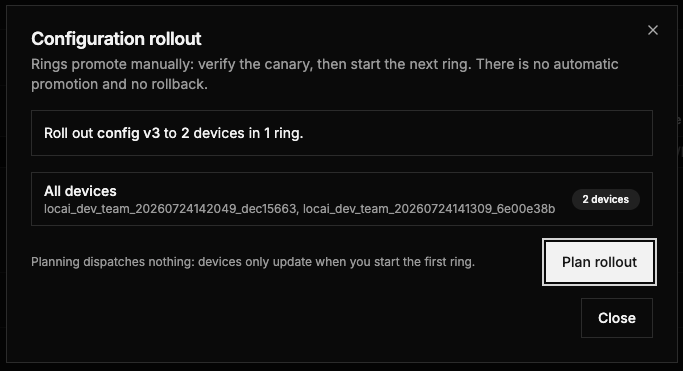
- Click Plan rollout. Planning dispatches nothing; devices only update when you start the first ring.
- Click Start on the first ring. The devices in that ring begin converging as they sync. You can stop the rollout at any time, which pauses only rings that have not started.
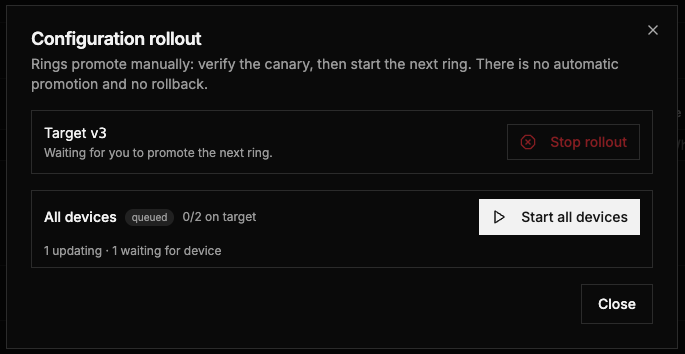
- Monitor the per-ring progress and the health tiles. When you are satisfied with a ring, start the next one. Repeat until every ring has started.