Deploying New Models After Setup
Two paths to add a model to this device after Setup:
From Locai Control (recommended)
- Sign in to control.locai.co.uk.
- Go to Devices, then click this device by name.
- Under Models, click Deploy and pick a model from your account catalogue.
- Control dispatches a DEPLOY_MODEL command to this device. Within a second, the download starts.
- The companion tray icon updates:
Models - 1 servingappears, and if you open the submenu you see the progress row.
From the companion Preferences
You can also add a model straight from the desktop app, without opening Control:
- Open Preferences from the companion's menu-bar (tray) menu and go to the Models panel.
- Under Available to download, you'll see the models on your Locai account that aren't on this device yet — both models you own and globally shared models.
- Click Download next to the model you want. The row switches to a live progress wheel, and the model moves to your deployed models when it finishes.
Behind the scenes this makes the same request to Control that the dashboard's Deploy action does, so a model already downloading from another session simply continues rather than starting a second copy.
Which models you can install
| The model is… | Result |
|---|---|
| Owned by you | Available to download |
| Globally shared on the platform | Available to download |
| Owned by another user and not shared | Not shown |
| Already on this device | Shown as installed; no action needed |
You only ever see models you're allowed to install.
Removing a model from this device
Deployed models in the companion have a per-model Remove action that deletes the model from the device and frees the disk space:
- Open Preferences from the companion's menu-bar (tray) menu and go to the Models panel.
- Find the deployed model you want to remove and click Remove.
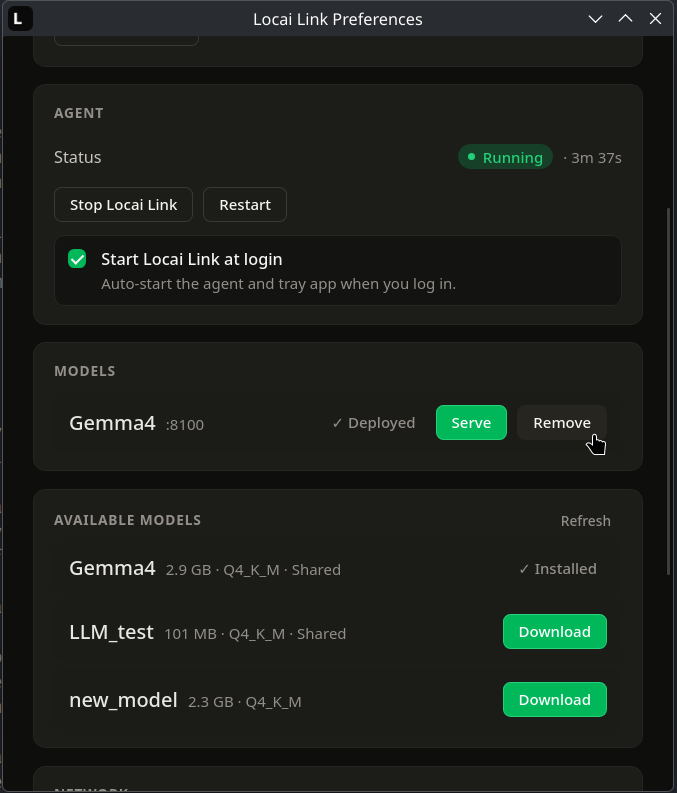
Remove works even while a model is serving; you do not have to stop it first. Choosing Remove stops the model and then deletes it in one step.
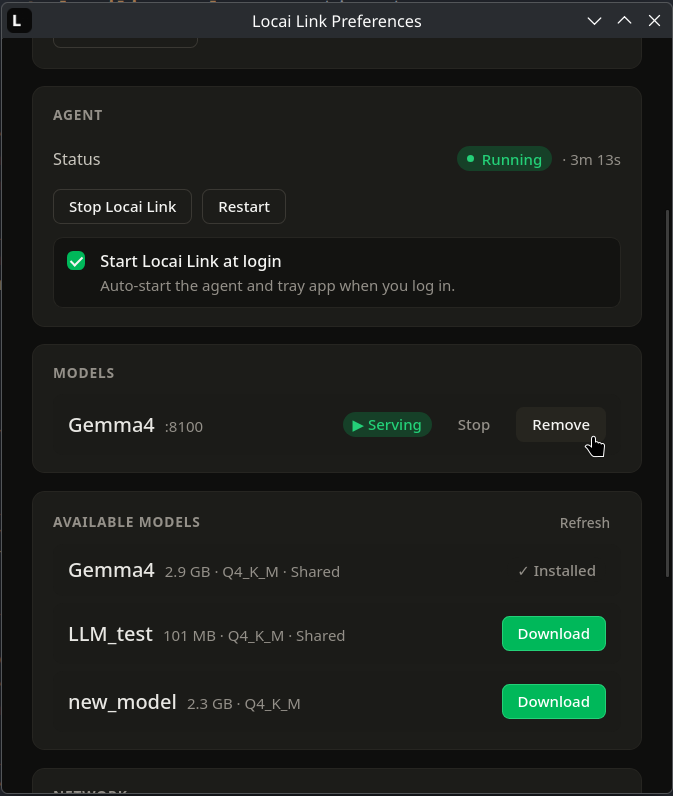
The Control dashboard updates to reflect the removal, so the model no longer appears in this device's model list. If the device is offline when you remove a model, the update is queued and reported to Control automatically once the connection is restored. Removing is not permanent: the model stays in your library and on any other devices it is deployed to, and it remains available to re-download to this device at any time.